


The accounting integration for the online era
Explore Accounting Link Online

Key Features
Auto Approve
Auto Approve seamlessly transfers your financial information to your accounting system, enabling you to be hands-free in the process.
Audit Trail
Have a detailed record for reference at any time. The Audit Trail allows you to keep tabs on changes made to your set-up.
Embedded Tooltips
Tooltips are embedded throughout Accounting Link using terminology that all users can understand, regardless of their accounting background.
Multi-Location Processing
All your information, all in one place. Toggle between your shops to review and approve activity, all within the same login.
Warning Alerts
Opt to receive emails at the day's end if there is anything in Accounting Link that requires your attention. Stay informed at all times.
Improved Compatibility
Forget about compatibility concerns. Whether you're doing your bookkeeping on Windows, Mac, or another platform, we have you covered.
Short on time? We’ll give you the highlights.
Accounting Link Online is built to handle every type of User, from the single-shop operation looking for the basics to the multi-shop operation that requires complex configuration. If you have an online accounting system, Accounting Link Online is a no-brainer.
Watch the Tutorial Series
Integration Spotlight
One of our popular supported integrations is QuickBooks Online. To get an overview of the types of activities Accounting Link can transfer to your QuickBooks, click on the flyers on the left. With over 20 years of industry experience, we've encountered it all. If there's a specific transaction you need that is not listed, please contact our team for further evaluation.


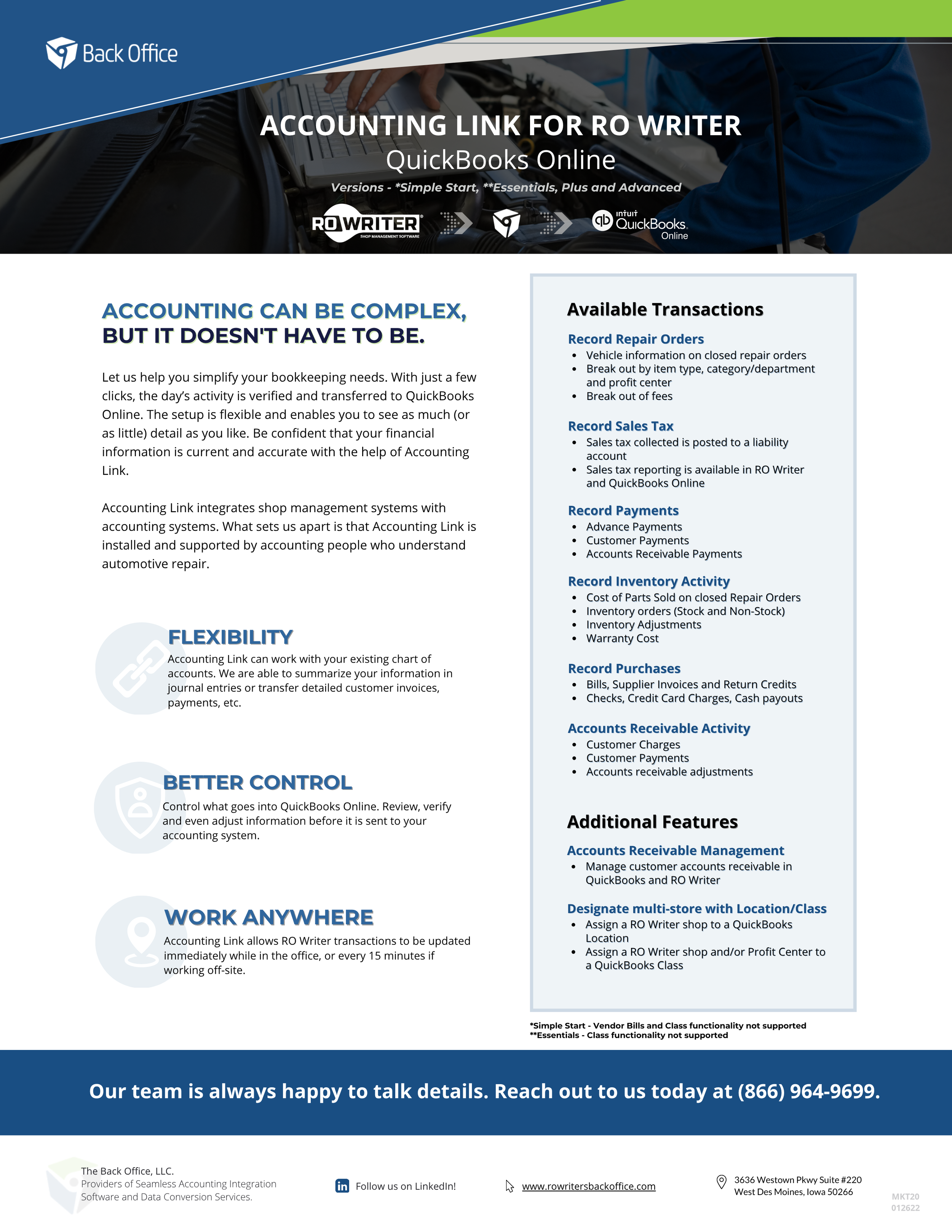
QuickBooks Online US
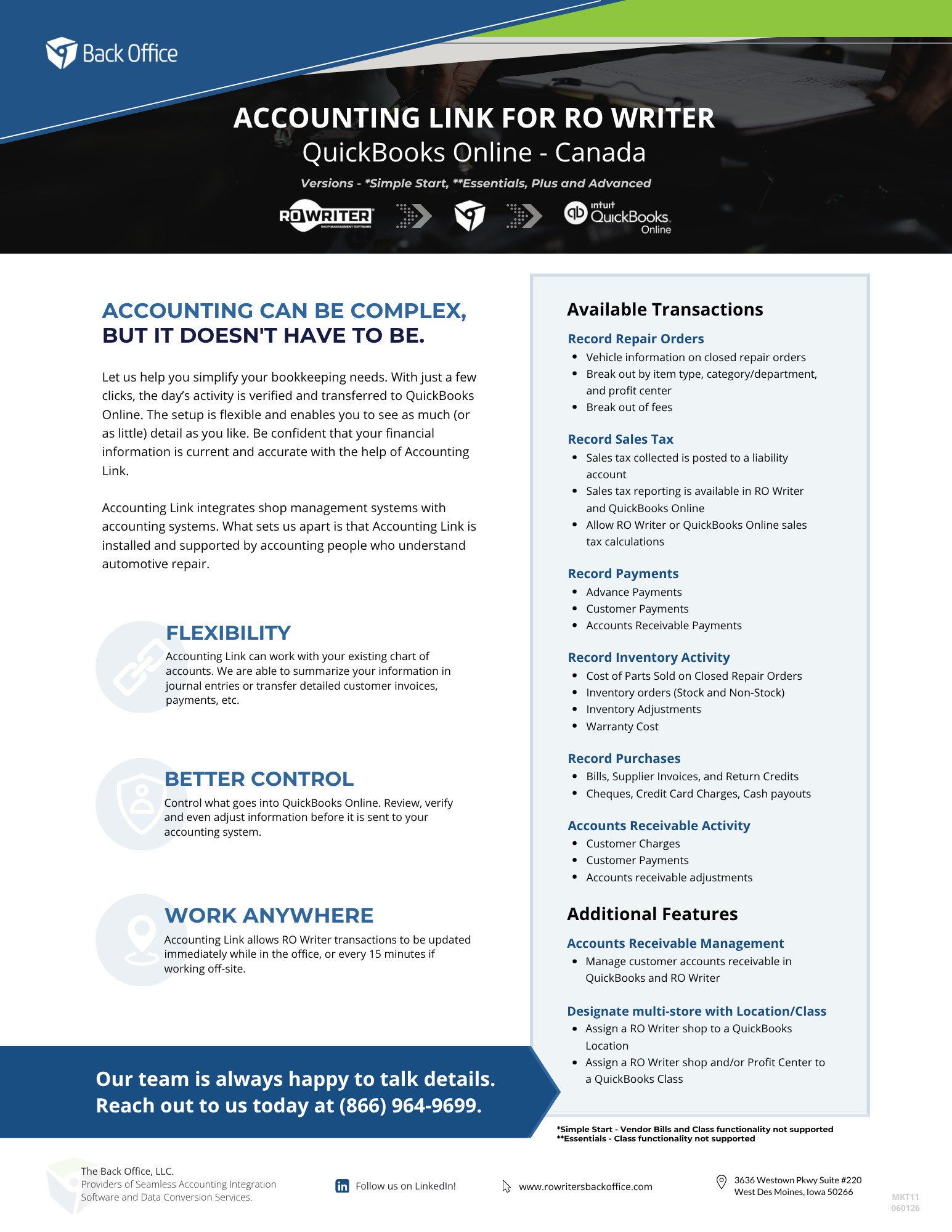
QuickBooks Online CA
Frequently Asked Questions
-
You can add an unlimited number of users to your account at no extra cost. Users are assigned by location, allowing you to manage and control which locations each user can access.
-
If you have recently switched from another Shop Management System and were using Accounting Link, you will need to place a new order through RO Writer. Since Accounting Link is tailored to the specific Shop Management System it connects with, a new order is necessary to ensure optimal integration with RO Writer.
-
Your login can be configured to access multiple accounts and locations you manage. Easily switch between different shops and locations, all using a single login.
-
Setting up Accounting Link Online takes just one hour and includes a training session with one of our accountants. We guide you through the setup process and demonstrate how to handle daily operations. If you have any questions after the appointment, you can utilize premium support provided by our team of Accountants.
-
A cloud-based solution offers several advantages. Enjoy the flexibility of not being limited to a Windows computer for your bookkeeping. Accounting Link Online operates from any web browser.
-
You can order Accounting Link Online by reaching out to your RO Writer Representative. Our team will configure your Accounting Link similar to how your information was previously in our desktop product.
-
Yes! Accounting Link's adaptable configuration makes it an ideal solution for a wide range of accounting setups. No matter how your shop likes to break up sales, locations, categories, classes, cost of goods sold (and more!), Accounting Link is designed to meet your accounting needs with ease.
-
Accounting Link Online is designed for users with online accounting systems, offering seamless integration with QuickBooks Online, Sage Intacct, and NetSuite.
